A fast terminal with instant search and a built‑in Linux command line.
AntiTerm draws its text on the graphics card, finds folders, files and past commands as you type, and brings its own Linux-style shell and commands to every computer, Windows included.
ShellsIts own Linux-style shell, and PowerShell, cmd, Git Bash, WSL, bash, zsh and fish
Draws withIts own renderer on the graphics card, or on the processor when there is no suitable graphics card
Your privacyNo account, no telemetry and no ads
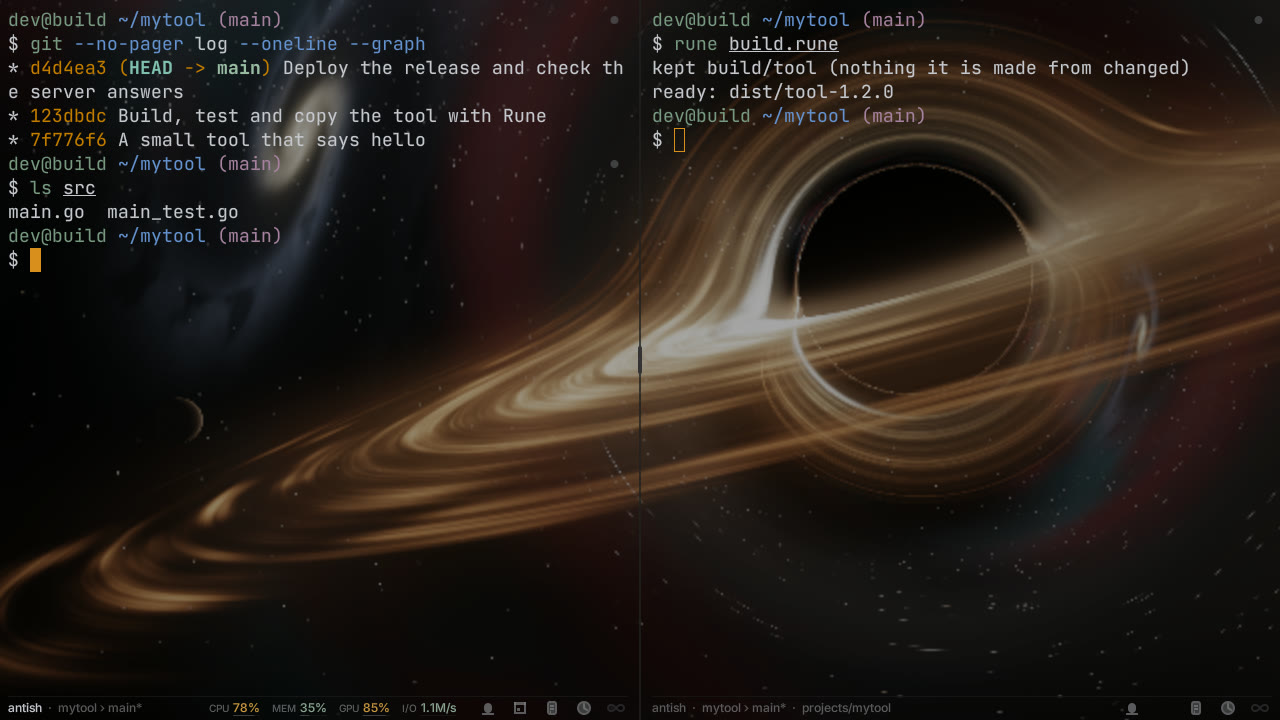
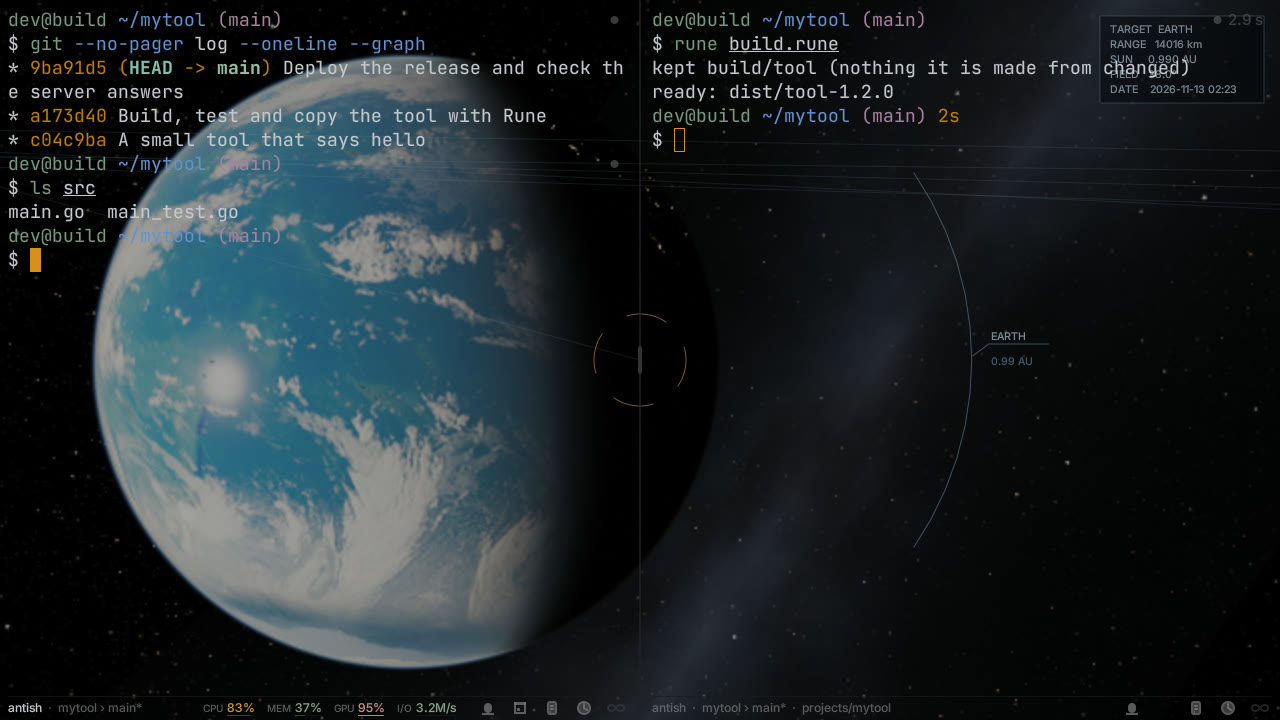
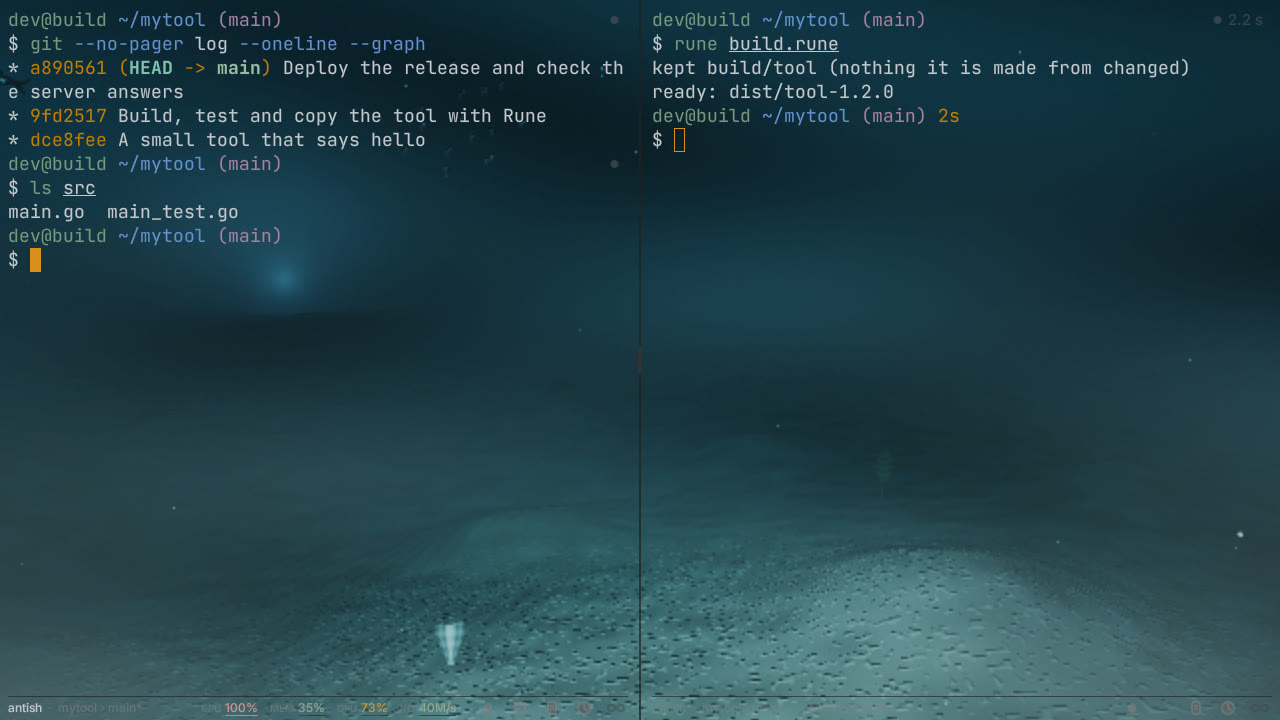
Animated scenes behind your work
Live, animated scenes behind your text, across every window and monitor. Black hole: its disk turns, and it bends light. Planetarium: planets where they really are now, moving in real time, the Earth turning under clouds, the sun's flare. Deep sea: creatures drift past. Off until you turn them on; they run at full display rate without slowing your work.
These are stills of animated scenes, shown because reduced motion is on.
Black hole: light bending round itPlanetarium: riding with the EarthDeep sea: creatures drifting past
Command line
A Linux command line, built in
AntiTerm comes with its own shell and its own versions of the everyday Linux commands. They work the same on Windows, macOS and Linux, with no WSL needed on Windows.
sam@lagoon~/projects/sitemain$ ps auxf | head -4
USER PID %CPU %MEM COMMAND
sam 2210 0.0 0.1 antish
sam 2318 1.2 0.4 \_ npm run dev
sam 2342 0.3 0.2 \_ node server.js
$ type sed
sed is built into AntiTerm
$
Its own shell
AntiTerm's shell runs POSIX shell scripts and has the everyday comforts of bash: emacs and vi editing, Tab completion, aliases, job control and suggestions from your history as you type. PowerShell, cmd, Git Bash and WSL stay one key away.
Commands built into the shell
ls, grep, sed, ps, top and the rest are built into the shell, so they start at once with nothing read from disk. Each is also a separate program for your scripts, and --version and type tell you when a command is AntiTerm's own.
A prompt that shows where you are
The prompt shows your folder, the git branch and its state, the last command's exit status and how long it took, in your theme's colours. Every setting lives in AntiTerm's own settings file; your dotfiles are never written.
ps and top, as you know them
ps takes the options you already know, such as aux, auxf and -ef, on every system. top adds a bar for each core, a process tree and search as you type.
Search
Find it as you type
Folders, files and the commands you ran before appear as you type, from an index kept on your computer.
sam@lagoon~$ j si
~/projects/site
~/projects/simulator
~/photos/sicily
Jump to any folder
Type j and part of a folder's name. Folders are ranked by how often and how recently you use them, and every folder on your computer can be found before your first visit.
Your history, searched
Ctrl+R shows the closest matches as you type, so gco mn finds git checkout main, and each command shows when and where it ran, whether it worked and how long it took. Commands that look like passwords or keys are never kept.
Files by name and by content
Search file names and the text inside files from the prompt, using the same index. A file kept only in the cloud is never downloaded by a search.
A click picks it whole
A double click picks a whole web address, e-mail address, phone number, date or IBAN. A triple click picks a whole line, even when it wraps.
Speed
Built to answer quickly
AntiTerm draws on the graphics card. Reading output, scrolling and searching run on threads of their own, so the window answers at once.
Measured on the developer's PC: Windows 11, an Intel Arc B580 graphics card, 2560 × 1440 at 100 %, a 144 Hz display and PowerShell.
From key press to its echo on screen
median 15.7 ms, 95 % within 16.7 ms
Frames while 17.7 MB of output scrolled
142 a second, none over its time budget
Time to build a frame
median 0.64 ms, at most 0.99 ms
Scroll-back holding 2 000 000 lines
5.1 MB in memory
Sharp text at every size
Every letter starts on a whole pixel, so it looks the same in every column. Box lines, blocks and powerline shapes are drawn as shapes that meet their neighbours exactly.
Smooth zoom
Ctrl with the mouse wheel, or a pinch, zooms the text at your display's full rate, and the line you are working on stays where it is.
Long scroll-back, kept small
Lines that leave the screen are packed tightly, and older ones are kept in a private file on disk, so a long session stays small in memory.
Its own renderer
AntiTerm draws with the graphics card, or with the processor on a computer that has no suitable graphics card. Each window draws on its own thread.
Sessions
Close the window, your work keeps running
A small session host keeps every shell and its scroll-back. When you close AntiTerm, the next window picks up where the last one left off.
siteapinotes
$ npm run build
✓ 214 modules
✓ built in 1.9 s
$ git push
Everything up-to-date
$
top· 4 cores
cpu0
cpu1
cpu2
cpu3
mem 6.1 of 32 GB
Sessions that outlive the window
Programs keep running when a window is closed, and the next window joins them again. A split can be sent to the background and brought back from the list of sessions.
Splits and tabs
Split the window across and down, open tabs, and pull a tab out into a window of its own. A set of tmux keys comes with it.
Full-screen programs
nvim, vim, Emacs, tmux, less and top work in full, and are tested with every shell AntiTerm offers.
Back where you left off
Tabs, splits, folders and scroll positions come back when AntiTerm starts. Start fresh opens a clean window once, and your saved session is kept.
AI
Works with AI assistants, on your terms
Each split can be read and driven from outside, through a local command line, with a key you make and only the rights you give it.
Each key has only the rights you give it: read the screen, type, run commands, set rules or change settings. The connection is open only to your own user account, and every action is logged.
Keep going until it is done
When an AI agent in a split stops before its goal, AntiTerm sends the message you wrote once for each stop, until the agent says it is done, until a command such as your tests passes, or until a limit is reached. Your typing always wins, and one key stops it.
Rules that answer
A rule watches a split for a word, a pattern or a question such as "should I continue?", and answers by typing, running a command or letting you know. Each answer is shown and logged.
Hand text to an assistant
Text can be sent to an AI command line running in a split, from AntiTerm itself or from another program on your computer.
Languages
Every language, written properly
Chinese, Japanese, Korean, Arabic, Hebrew, the Indic scripts and emoji are shaped and placed correctly in their cells.
$ cat hello.txt
こんにちは、世界
你好,世界
안녕하세요, 세계
مرحبا بالعالم
שלום עולם
नमस्ते दुनिया
🌴 🐈 🐕 👩💻
Wide characters in their cells
Chinese, Japanese and Korean characters take two cells and never overlap the next one. Accents and emoji sequences stay whole.
Right to left, and typed in place
Arabic and Hebrew are joined and run right to left. Input methods compose the text right at the cursor.
And more
Documents, other disks and notices
Documents beside the prompt
Drop a PDF or a Word document onto the window, and it splits to show the document as text with its pictures. Code from it can be copied to the prompt.
The other system's disks
On a computer with two systems, ls and the other commands read the other system's disks without mounting them: NTFS, FAT, exFAT, ext4, btrfs, XFS, APFS and more.
A notice when it matters
A long command finishing in a split you cannot see, or an AI agent waiting for you, shows a notification from your system. Clicking it brings that split forward.
Windows, macOS and Linux
The same AntiTerm on all three, with the same shell, commands and look.
Download
Download AntiTerm
Get it from the Microsoft Store on Windows, as a signed disk image on macOS, and as a .deb or an Arch package on Linux.